U Campus app mockup

Selected Work · UI/UX Design · 2023

U
Campus.

Type UX Research · UI Redesign
Platform Mobile App (iOS)
Domain Campus Food Ordering
Year 2023
Lead UX Researcher · UI Designer — Complete End-to-End Project
01 —

Redesigning a
campus staple

UCampus is an in-campus food ordering application at Chitkara University — designed to simplify locating and ordering from institutional food outlets. It serves students, faculty, staff, and visitors while promoting in-house food startups and reducing reliance on external delivery services.

The app had real problems. Users couldn't find outlets, the UI was confusing, and the ordering flow created frustration. In 2023, I undertook a complete redesign — starting with deep primary research and ending with a high-fidelity prototype tested with real users.

This is a complete end-to-end UX project: primary research, secondary research, surveys, stakeholder interviews, user personas, journey maps, low-fidelity wireframes, high-fidelity design, and usability testing.

My Role
Lead UX Researcher · UI Designer
Research Methods
User Interviews · Surveys · Play Store Analysis · Functional Audit
Tools
Figma · Miro · Google Forms
Deliverables
Wireframes · Design System · High-Fidelity Prototype
Users Researched
Students · Staff · Faculty · Vendors
Phase 01
Research
  • User interviews
  • Google Forms surveys
  • Play Store reviews
  • Functional analysis
Phase 02
Ideation
  • Paper wireframes
  • Information architecture
  • User persona
  • Journey map
Phase 03
Visualization
  • Visual conceptions
  • Low-fidelity interface
  • Design systems
  • App architecture
Phase 04
Prototyping
  • High-fidelity design
  • User testing
  • Feedback integration
  • Final implementation
02 —

What was
broken

From Play Store reviews and direct user interviews, these were the five core pain points that defined the redesign scope. Real feedback from real students — not assumptions.
01
Unable to identify self-pickup on/off status while ordering. Users consistently confused about whether pickup was available.
02
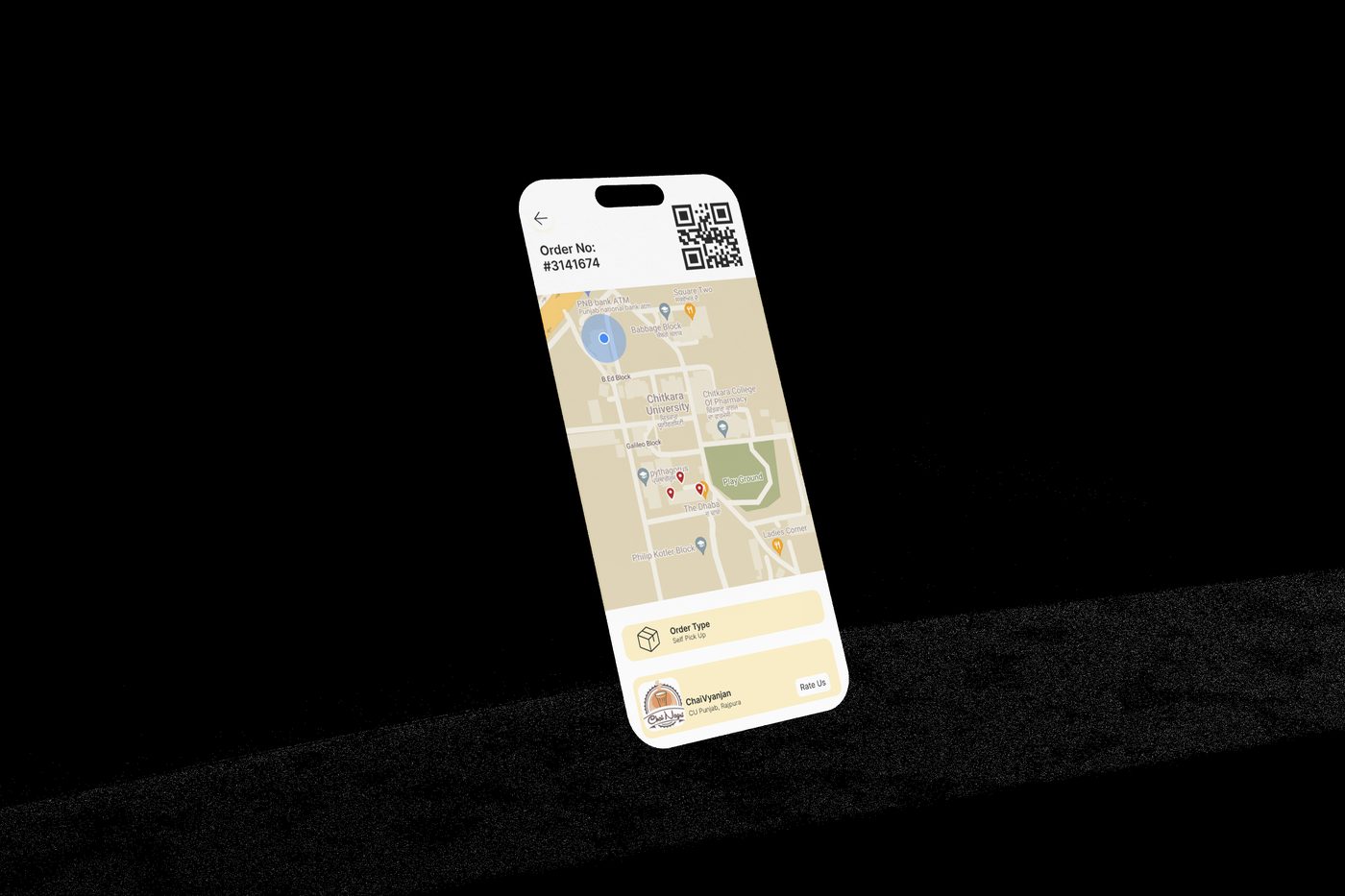
Impossible to locate food outlets within campus. No map, no directions, no clarity on where to collect orders.
03
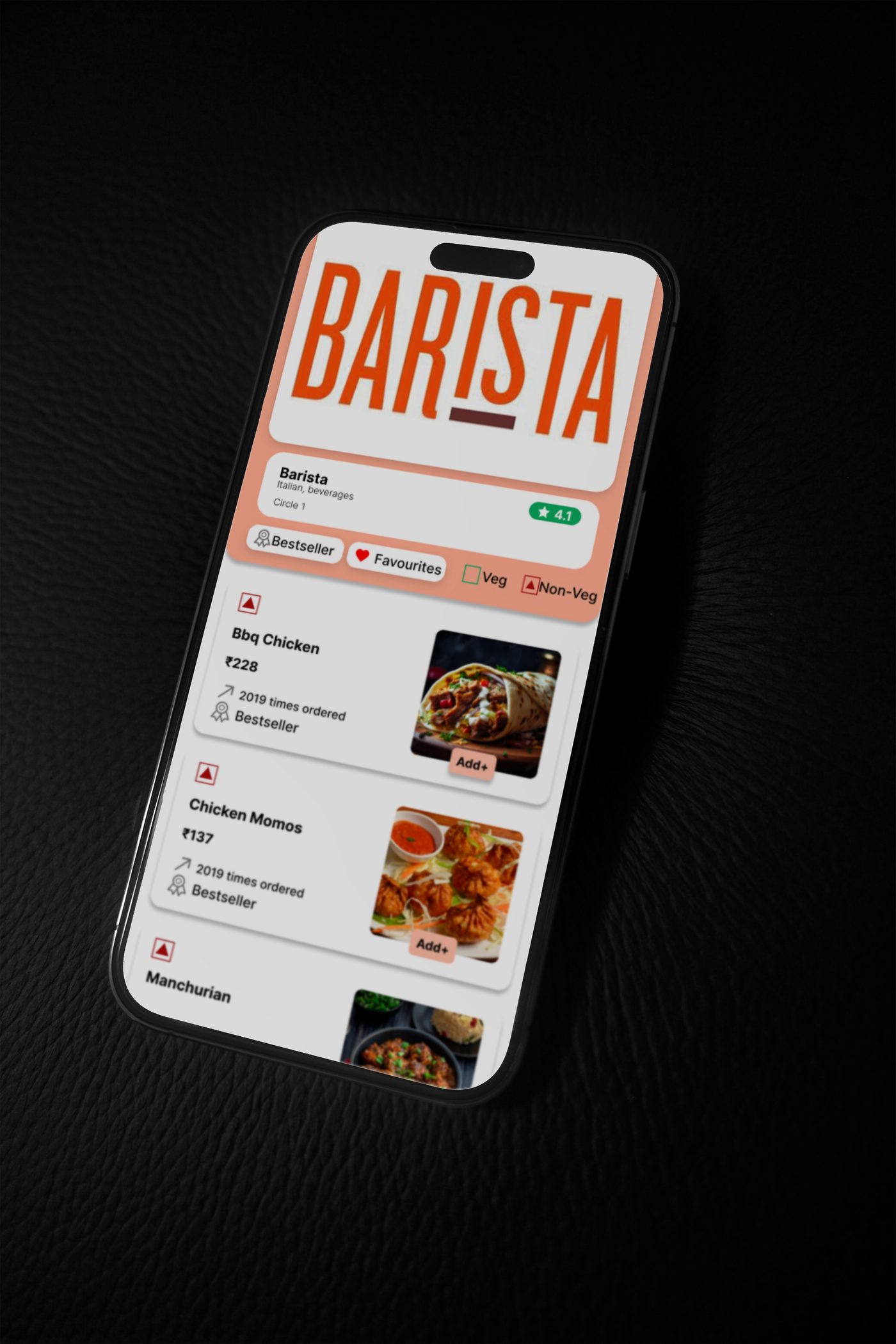
No Veg/Non-Veg filters visible early enough in the flow. Users had to scroll deep before knowing what they could eat.
04
No ability to order from multiple outlets simultaneously — a core use case missed by the original design.
05
No delivery option. The app forced pickup only, losing users who couldn't always leave class or office.
06
Order ID system created physical crowding at outlets. No queue management, no estimated wait time visibility.
U Campus home screen
UI / UX
U Campus Redesign · 2023
03 —

The design
process

Discover
Empathize & Define
User interviews
Stakeholder interviews
Surveys (Google Forms)
User persona creation
Journey mapping
Explore
Ideate & Design
App architecture
Paper wireframes
Low-fidelity flows
Visual aesthetics
Design system build
Prototype
Test & Implement
High-fidelity prototype
Usability testing
Feedback iterations
Final implementation
Handoff documentation
04 —

Key screens

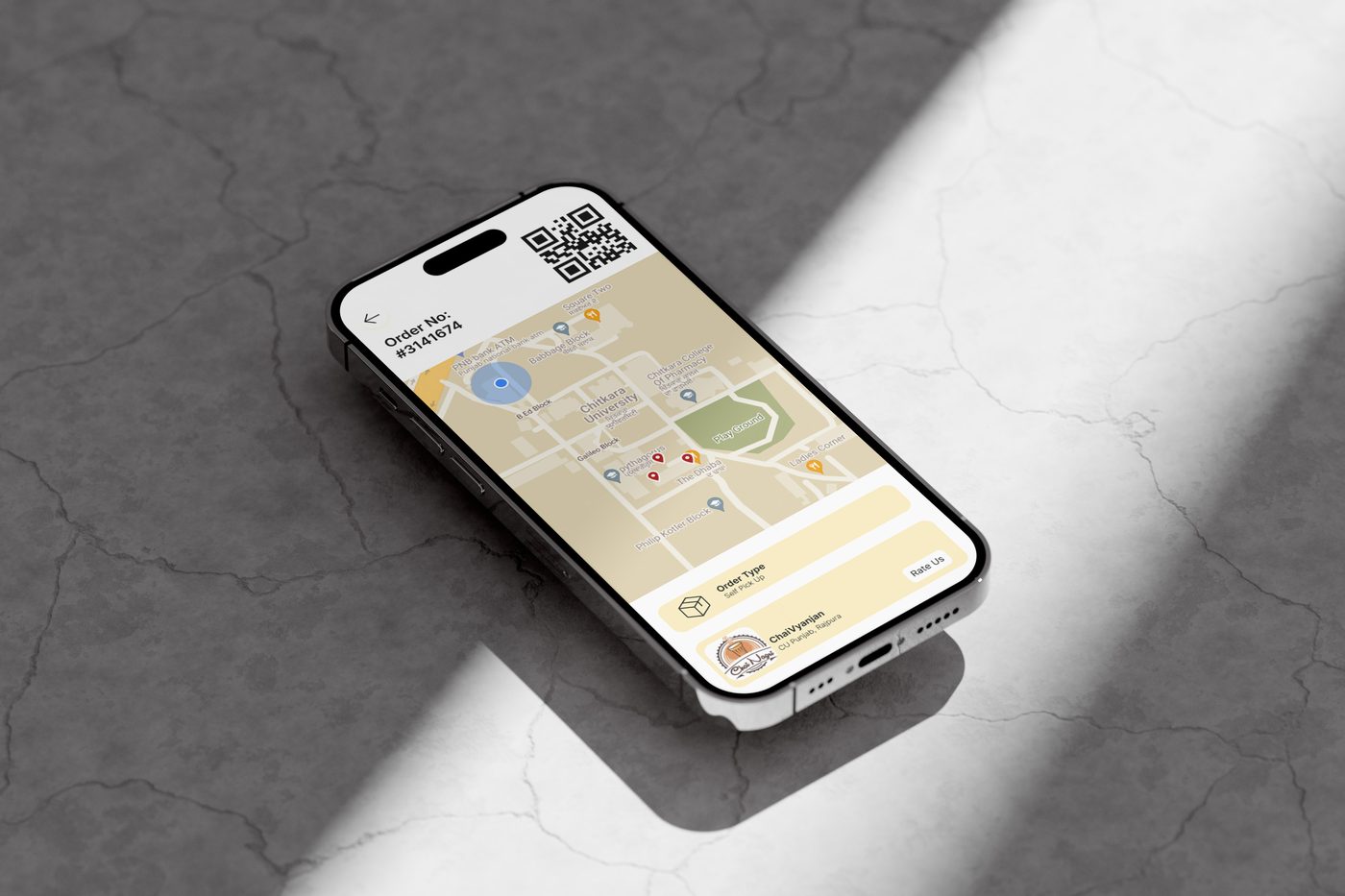
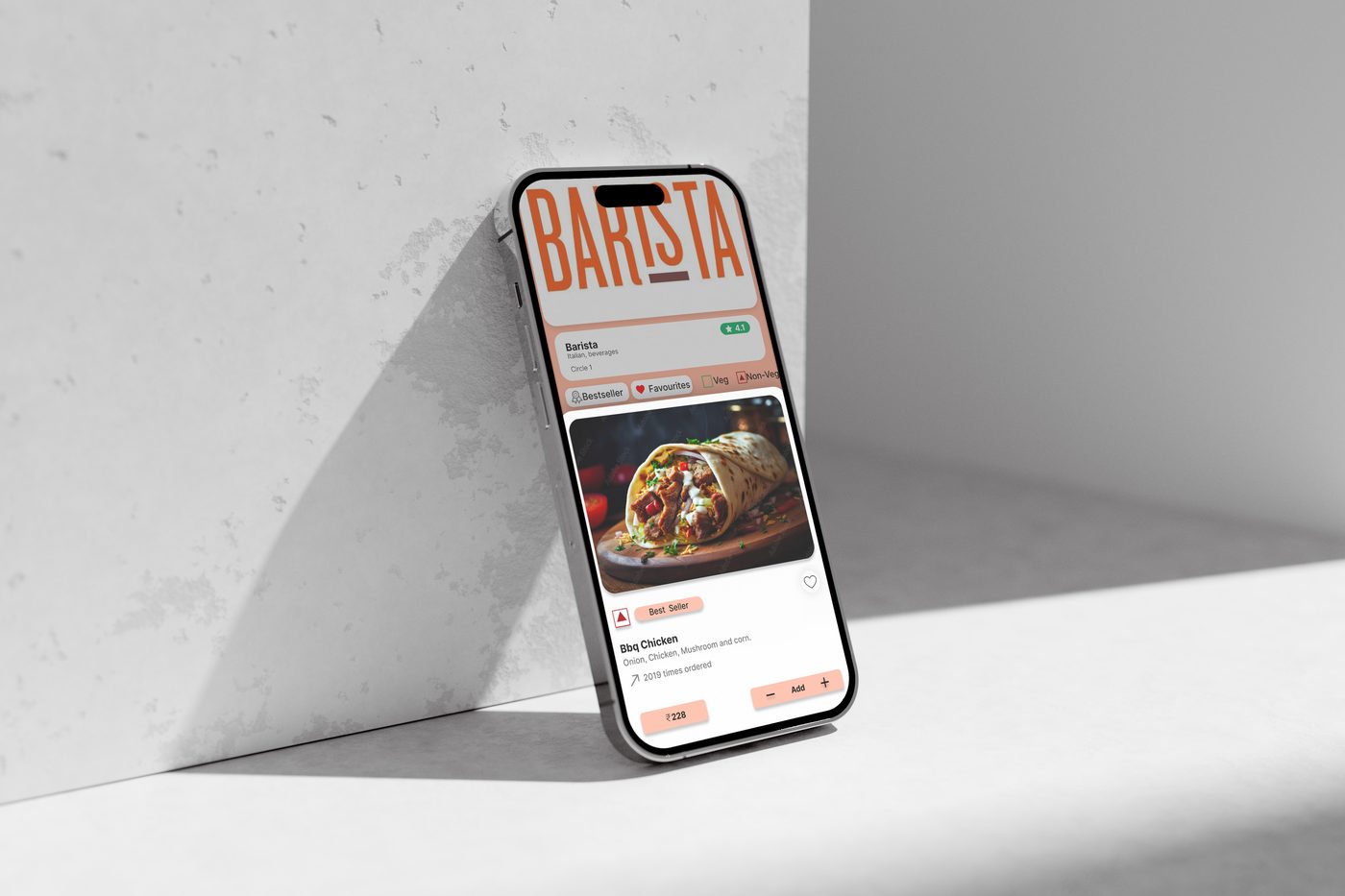
From home to checkout — every screen was redesigned with a specific pain point in mind. Warm amber tones, clear typography, and an intuitive layout that guides users without effort.
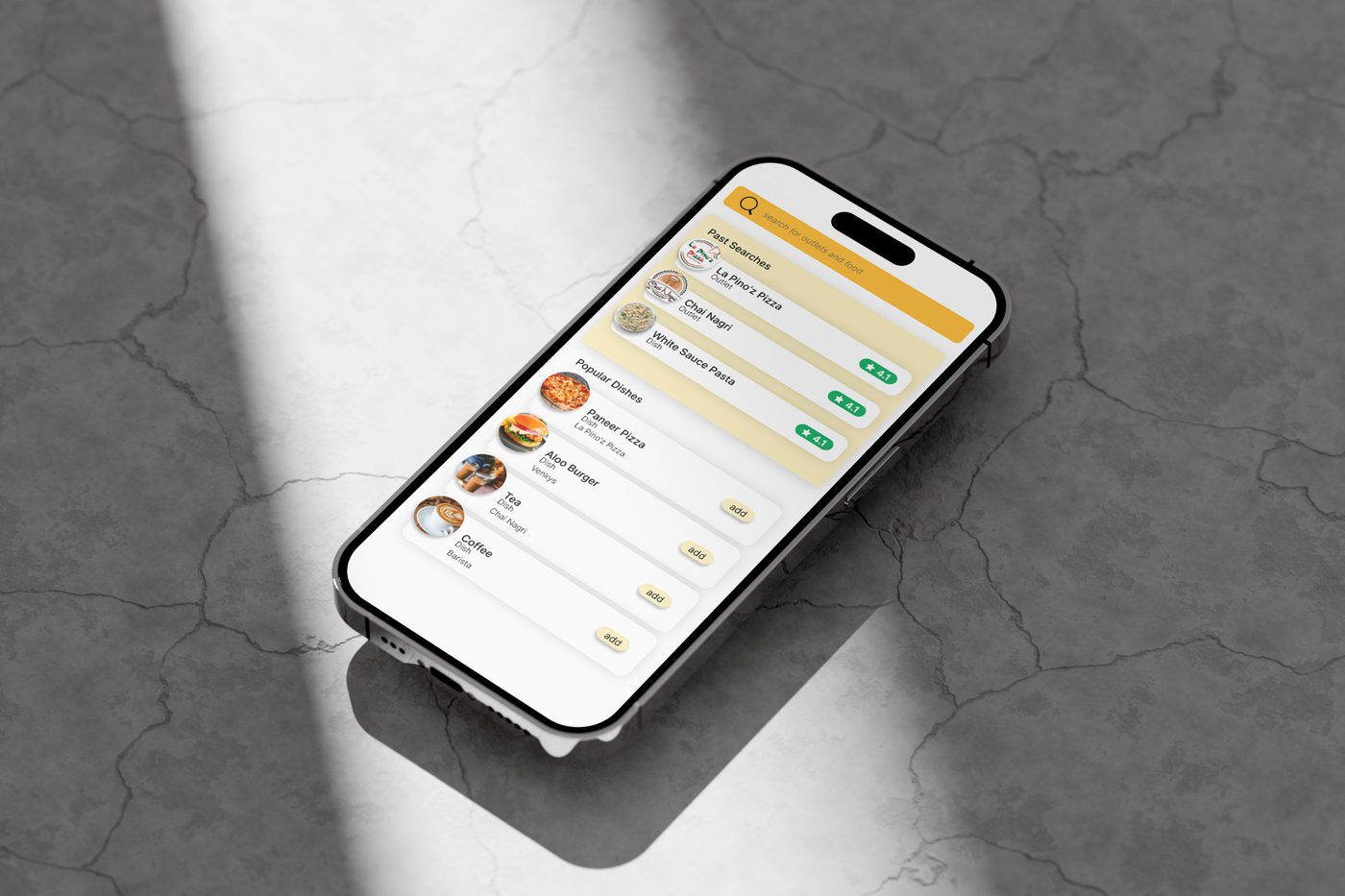
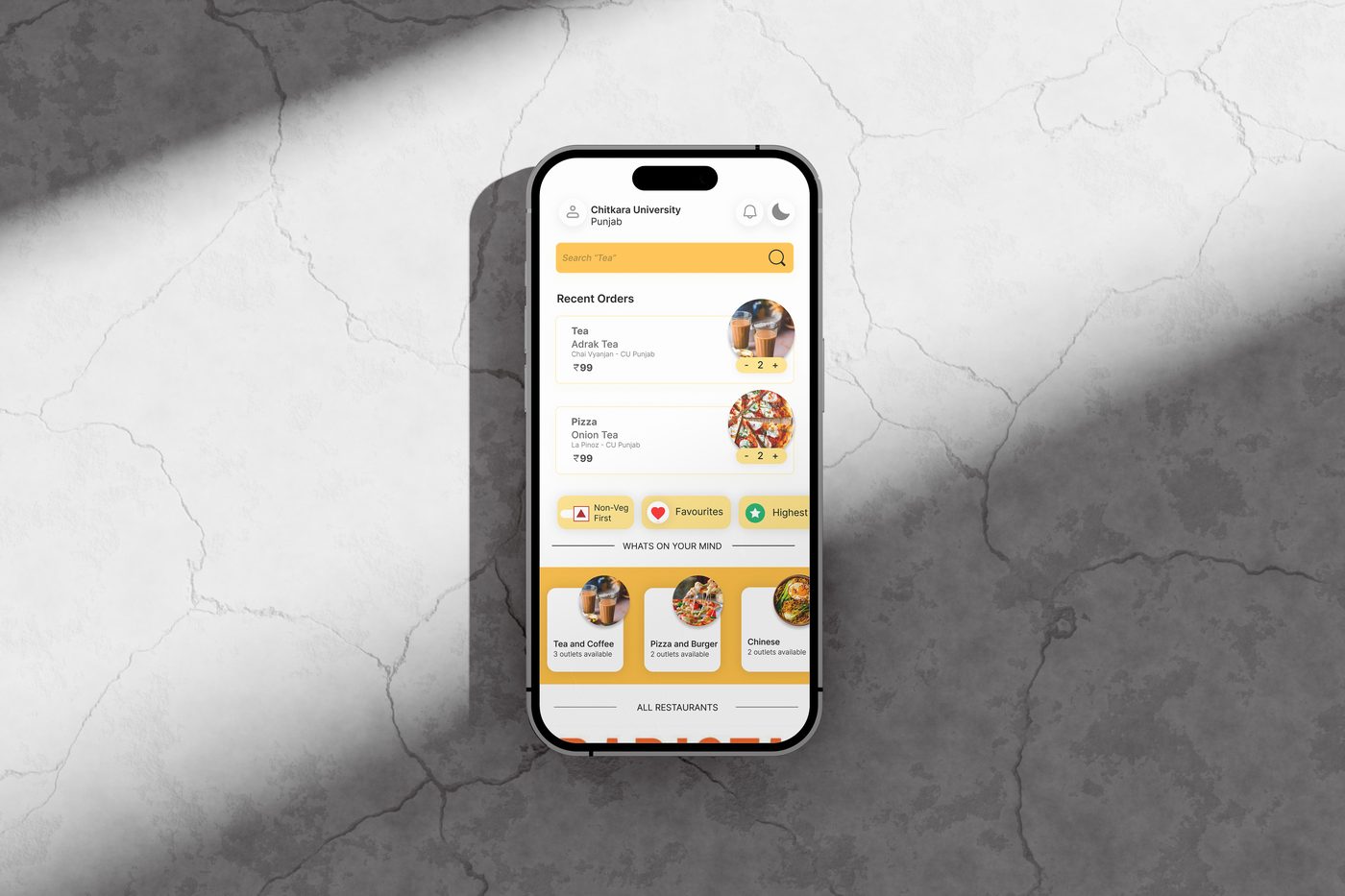
Search screen
Search Bar
Home screen
Home Screen
Order info screen
Order Details
05 —

What I delivered

C.01
Primary Research — Surveys & Interviews
Conducted structured user interviews with students, faculty, and staff. Distributed Google Forms surveys across the campus. Analyzed Play Store reviews to extract quantifiable pain points. Built stakeholder maps identifying all user groups — Students, Staff, Faculty, Visitors.
C.02
Information Architecture & User Flows
Rebuilt the app's information architecture from scratch based on research findings. Mapped user journeys for each persona type. Identified five critical flow breakdowns and redesigned each one — from outlet discovery through checkout to order collection.
C.03
Low-Fidelity Wireframes
Created paper wireframes for all major screens before moving to digital. Built low-fidelity digital wireframes covering: home, search, menu, cart, payment, order tracking, and UMoney wallet. Validated layouts with 5 test users before visual design began.
C.04
High-Fidelity UI & Design System
Designed complete high-fidelity screens in Figma. Built a design system with amber/yellow accent palette, improved contrast ratios, and a legible type system. Designed the FTUE (First Time User Experience) onboarding flow, interactive map for outlet location, multi-outlet cart, and UMoney wallet integration.
C.05
Usability Testing & Iteration
Ran usability tests with real users post high-fidelity build. Measured task completion rates for core flows. Iterated on navigation patterns, filter placement, and cart experience based on feedback. Documented findings and produced a final handoff-ready prototype.
06 —

Final outcome

A research-led redesign that solved real problems for real users.
The redesigned UCampus transformed a confusing, frustrating experience into a fluid, intuitive app. Every decision was backed by data — from the placement of the Veg/Non-Veg filter to the introduction of the campus outlet map.

This project was my most complete UX process to date. It proved that good design isn't aesthetic preference — it's disciplined research translated into interface decisions that serve people better than what came before.
🔍
Full Primary Research
Interviews · Surveys · Play Store Analysis
🗺️
Campus Outlet Map
New feature solving #1 user pain point
📱
Complete High-Fidelity Prototype
All major screens · Figma · Usability tested
End-to-End UX Process
Research → Wireframe → Design → Test
Back to work Yash Dahiya · 2025